
Discovery
Patients first meet the clinic in search results and ads.
Search results and ads introduce a clinic and the care it offers. Interested patients look for more information.
Your website, consultations, bookings and workflows work together on one customer record.

Total conversation messages
1.2M+Total appointments
80K+Customer clinics
120+










Patient touchpoints
From first seeing the clinic in search to browsing, asking, booking and coming back. Each touchpoint runs on a different tool, so the patient's story easily breaks apart.
See how Laney connects these touchpointsDiscovery
Search results and ads introduce a clinic and the care it offers. Interested patients look for more information.
Exploration
They check the services, location and opening hours on the website. They compare their options and consider whether the care meets their needs.
Inquiry
They ask about details such as costs and what treatment involves. The answers help them consider whether to visit.
Booking
They book an available appointment that fits their schedule. They check what they need to prepare before the visit.
Return
They reflect on their care experience and the guidance they received. They consider another visit when they need care again.
Follow one day of Seoyeon Lee, a fictional patient looking for a melasma consultation, and see what Laney changes from her search to her booking.
Seoyeon searches for melasma care in Gangnam. Laney turns the clinic's information into a website that search and AI search can read, so Laney Clinic's melasma care shows up in results and AI answers.
Reading the website, Seoyeon asks, "Can I get a melasma consultation tomorrow afternoon?" No waiting for staff to reply: Laney answers by the clinic's rules that 2 p.m. and 4 p.m. tomorrow are open.
Seoyeon's conversation lands at the top of one inbox, alongside KakaoTalk, Instagram and phone inquiries. Staff no longer switch between apps; they read what Laney said and step in when needed.
"2 p.m., please." Laney confirms 2 p.m. on September 22 and adds it straight to the clinic's own CRM booking board. No one has to re-enter it, and the pre-visit reminder goes out on schedule.
Care information and page structure are organized for search results (SEO) and AI search answers (GEO). Pages in other languages and an on-page chat let visitors ask right away.
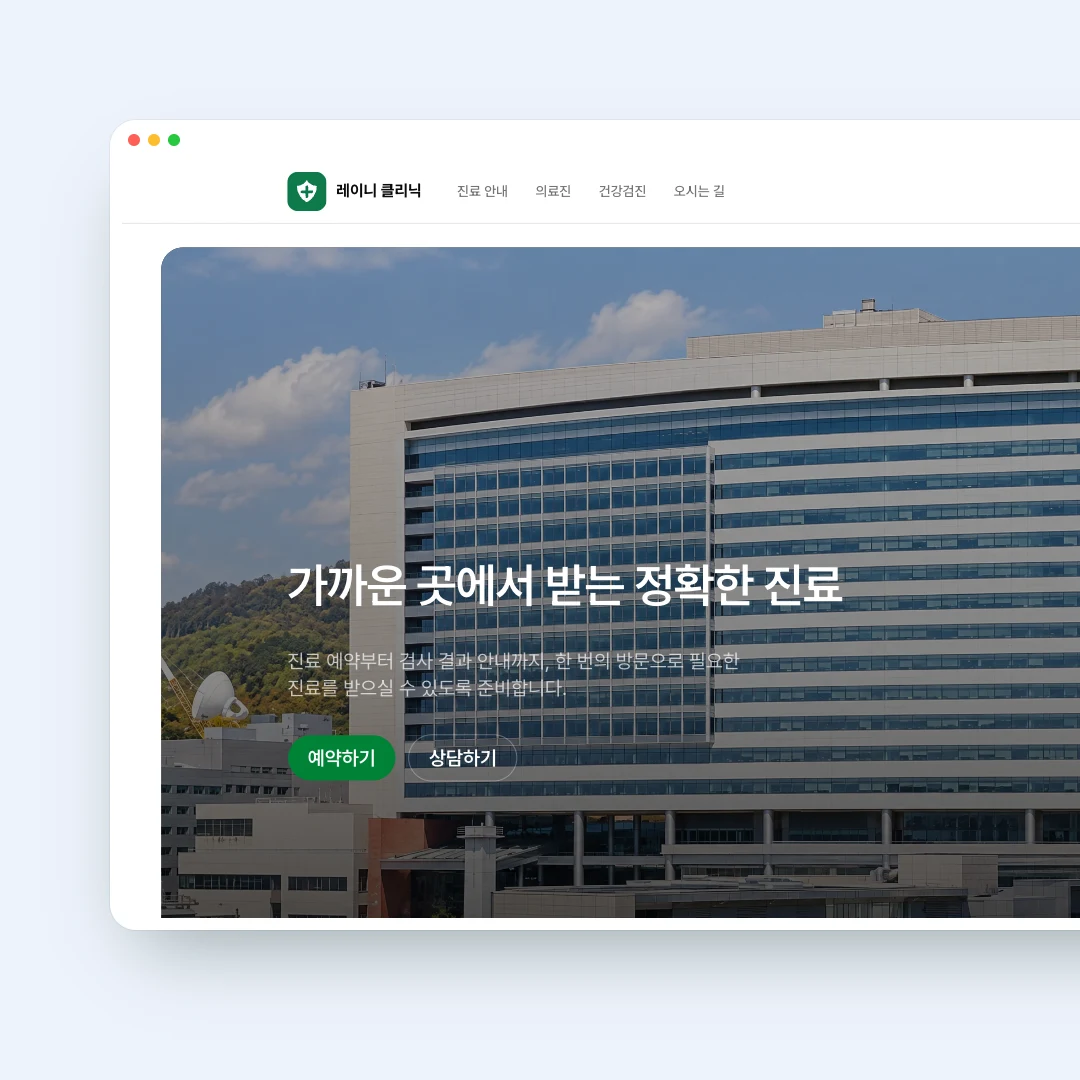
Laney answers visitors in the website chat and collects what the consultation needs through the conversation.
Laney builds clinic and care pages in each supported language, so international patients can learn about you in their own language.
Laney builds a landing page for each ad and lays out the path from that ad to an inquiry and a booking.
Laney gathers KakaoTalk, Instagram, WhatsApp and LINE inquiries in one inbox and shows where each one stands.
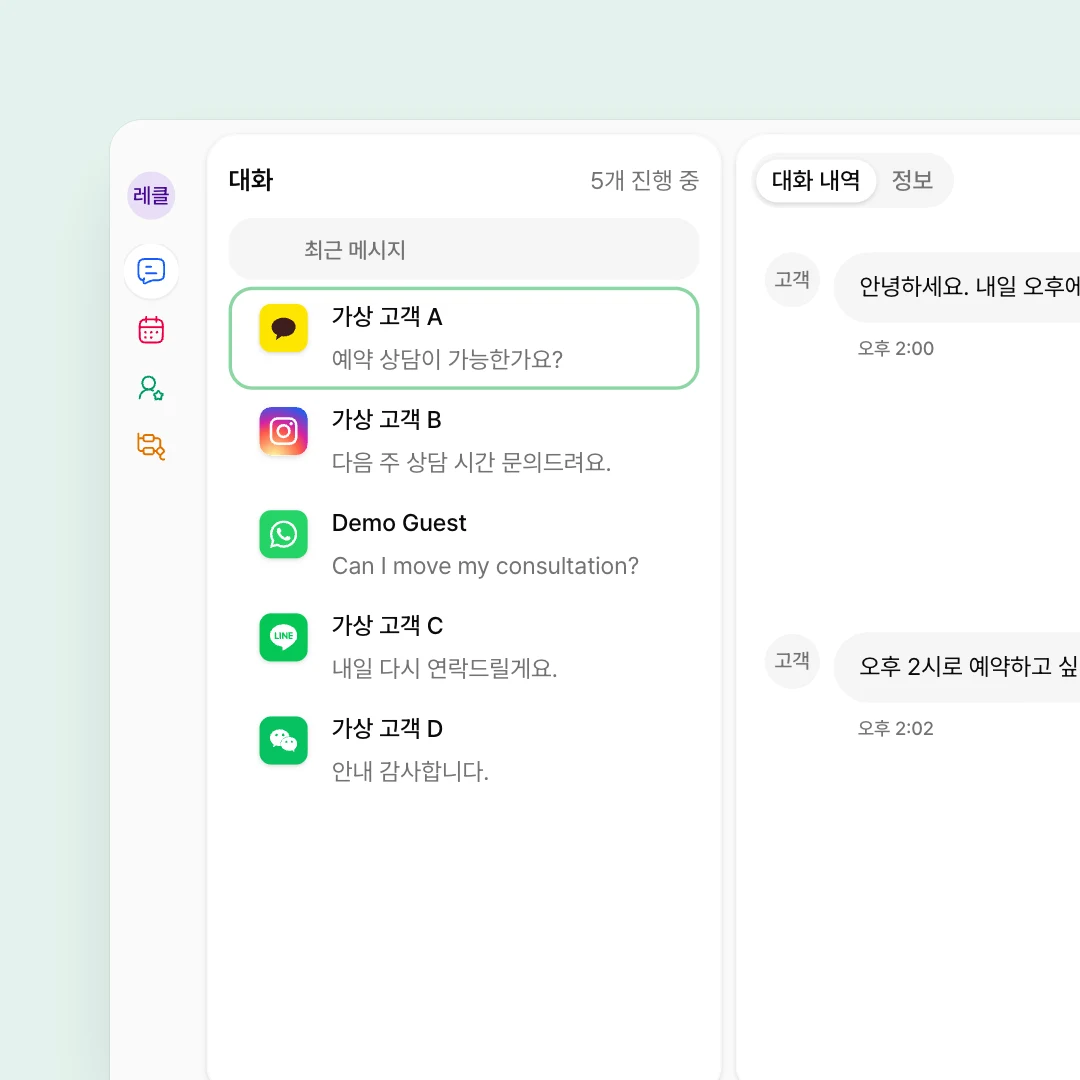

Laney answers common questions with the care and operating guidance your clinic registered, and hands conversations that need staff straight to them.
During the conversation Laney confirms a booking that fits opening hours and capacity, and handles change requests too.
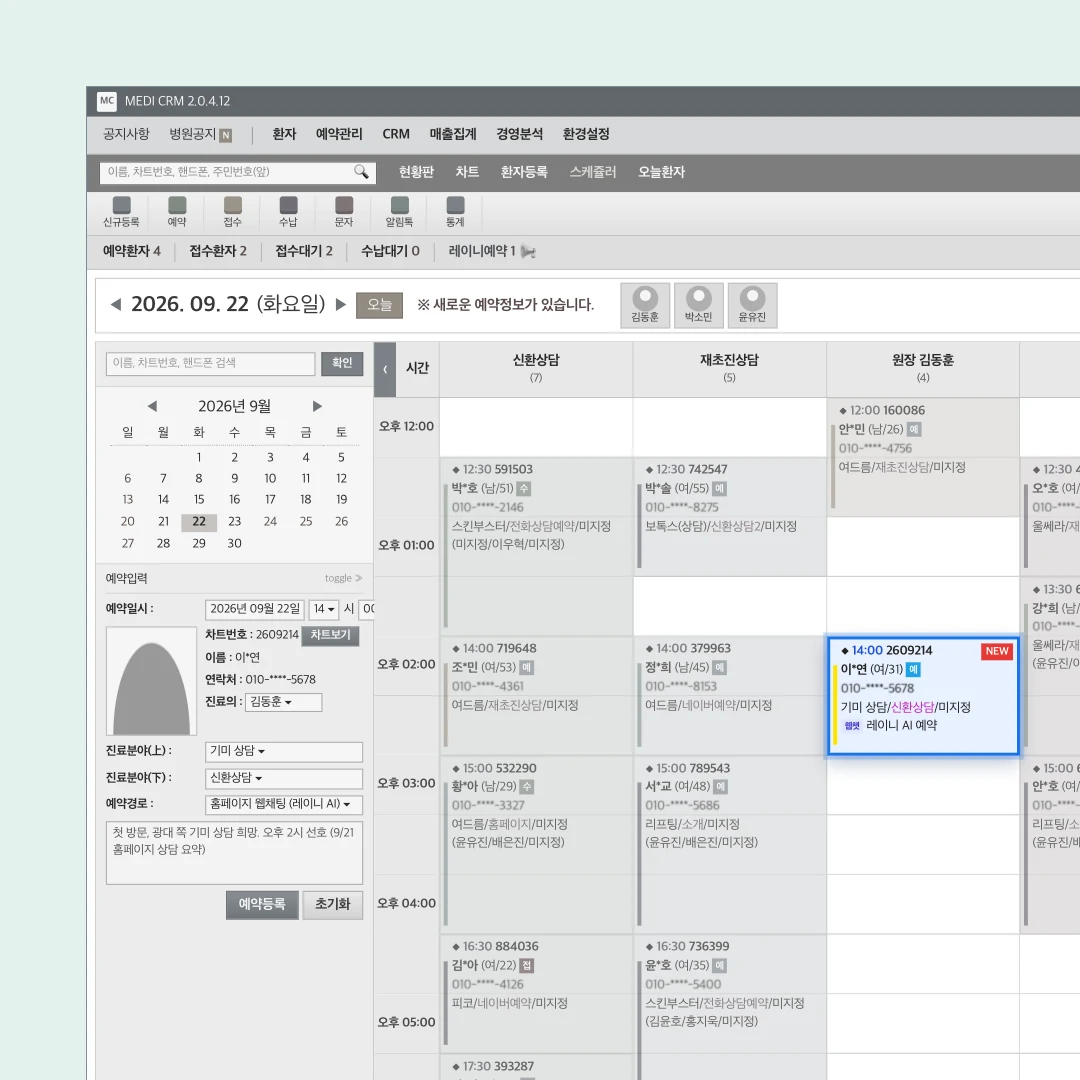
Laney reflects opening hours, days off and capacity, and offers only times that can actually be booked.
Confirmed bookings go straight into clinic CRMs such as SmartDoctor, Vegas and UNO, so staff see them on the board they already use.
Laney puts the bookings it makes straight into your schedule and manages confirmations, changes and completion in one place.
Laney sends a reminder the day before, aftercare guidance after treatment, and invites the customer back when the next visit is due.
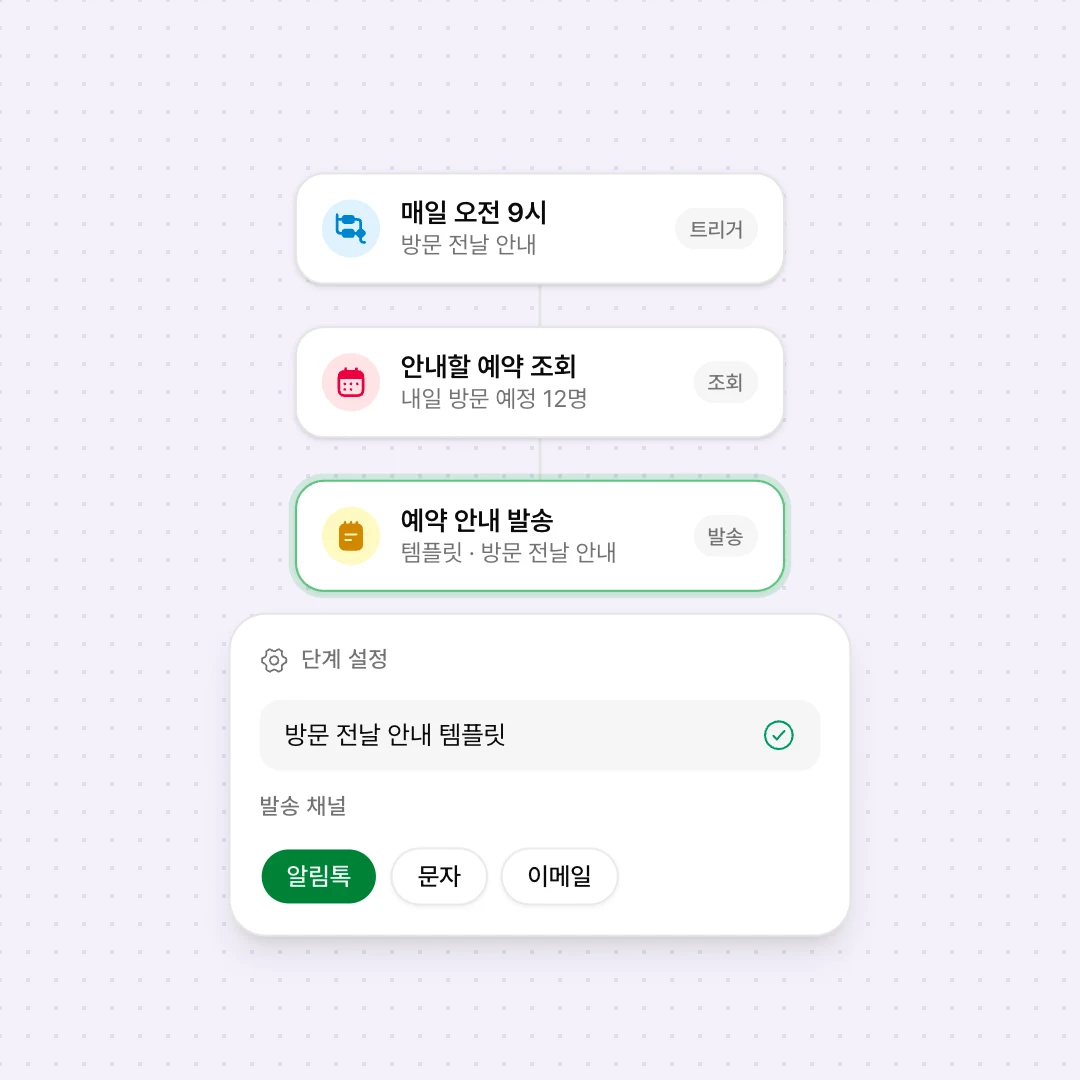
Laney looks up bookings, sends guidance and updates patient records automatically, at the times and for the patients you set.
Laney fills the clinic's registered KakaoTalk templates with each customer's booking details and sends them at the set time.
On the day you set after a treatment or visit, Laney calls the customer to ask how they are doing. Each call is kept as a conversation record.
From bookings and return visits at a small clinic to consultations and operations at screening centers, community hospitals and general hospitals. Illustrative scenarios that place Laney's features into real workflows.
Asks about the symptoms on the call and tells the caller which department to see and when.
Tells callers whether they're due for the national checkup and records their pre-screening answers on the customer.
Checks the doctor's schedule, offers the open time and adds the booking to the calendar.
When a reservation turns completed, Laney calls the patient to check how the visit went.

Find a setup that fits your website, conversations and booking process.

Review the setup your current inquiry channels and booking process need.

Explore how website, consultation, booking and workflows connect in a demo.




