LaneyLaney

The Laney platform

From the first search to the next visit. Connected with Laney.

Website, consultation, booking and workflows: four products connect the patient experience with your team's work.

From the first search to the next visit.
Connected with Laney. — illustrative product data

Website

Laney builds websites optimized for SEO and GEO.

Laney builds your clinic website and organizes care information so you show up in search results (SEO) and AI search answers (GEO). It builds pages in other languages too, and visitors can ask a question without leaving the page.

  • Laney builds websites optimized for SEO and GEO.

    Care information and page structure are organized for search results (SEO) and AI search answers (GEO). Pages in other languages and an on-page chat let visitors ask right away.

  • Your clinic in the patient’s language

    Laney builds clinic and care pages in each supported language, so international patients can learn about you in their own language.

  • Landing pages that match the ad

    Laney builds a landing page for each ad and lays out the path from that ad to an inquiry and a booking.

  • Questions answered on the page

    Laney answers visitors in the website chat and collects what the consultation needs through the conversation.

  • Your domain, your brand

    The website opens on the clinic's own domain, with its brand and default language.
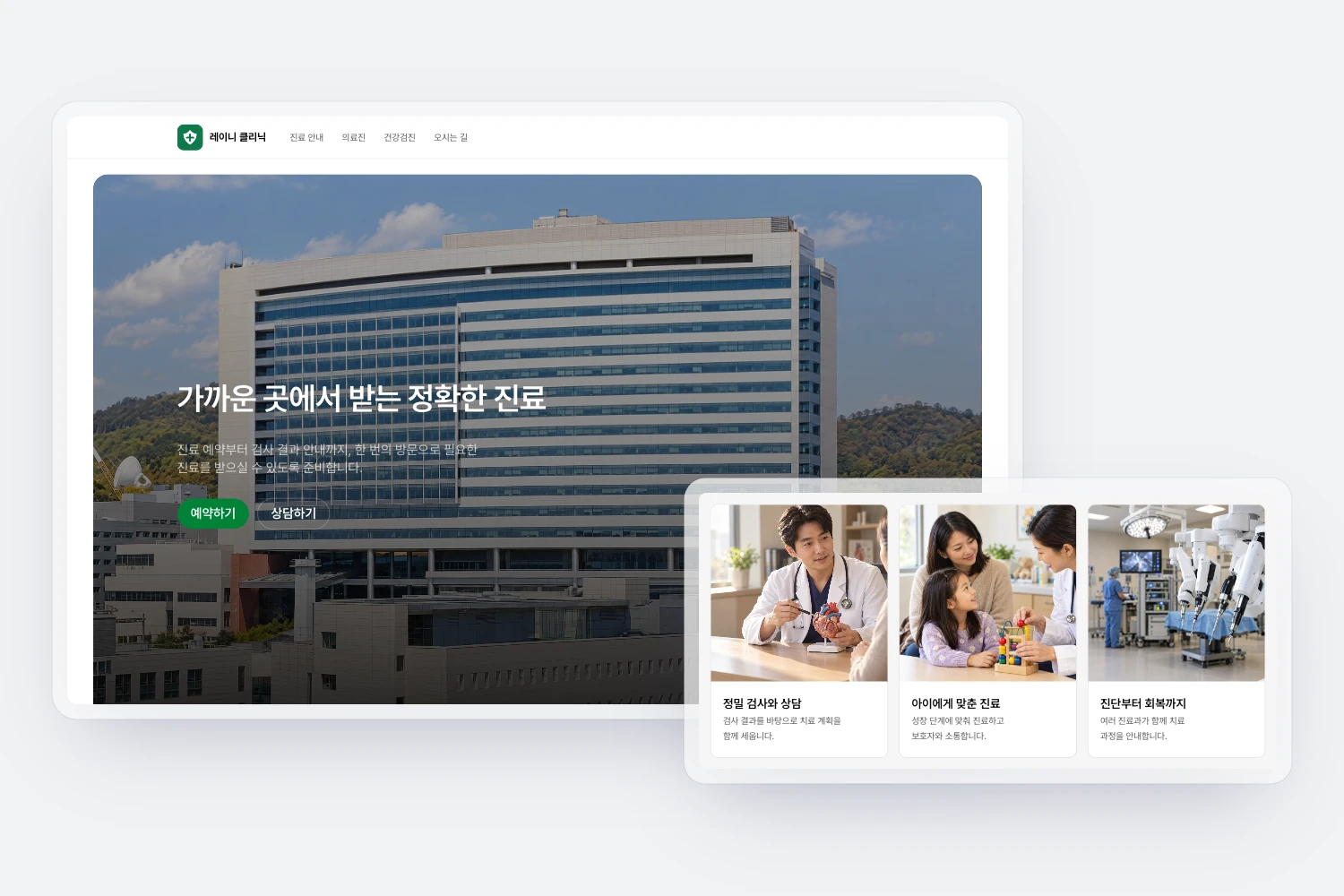
Explore
Website

Consultation

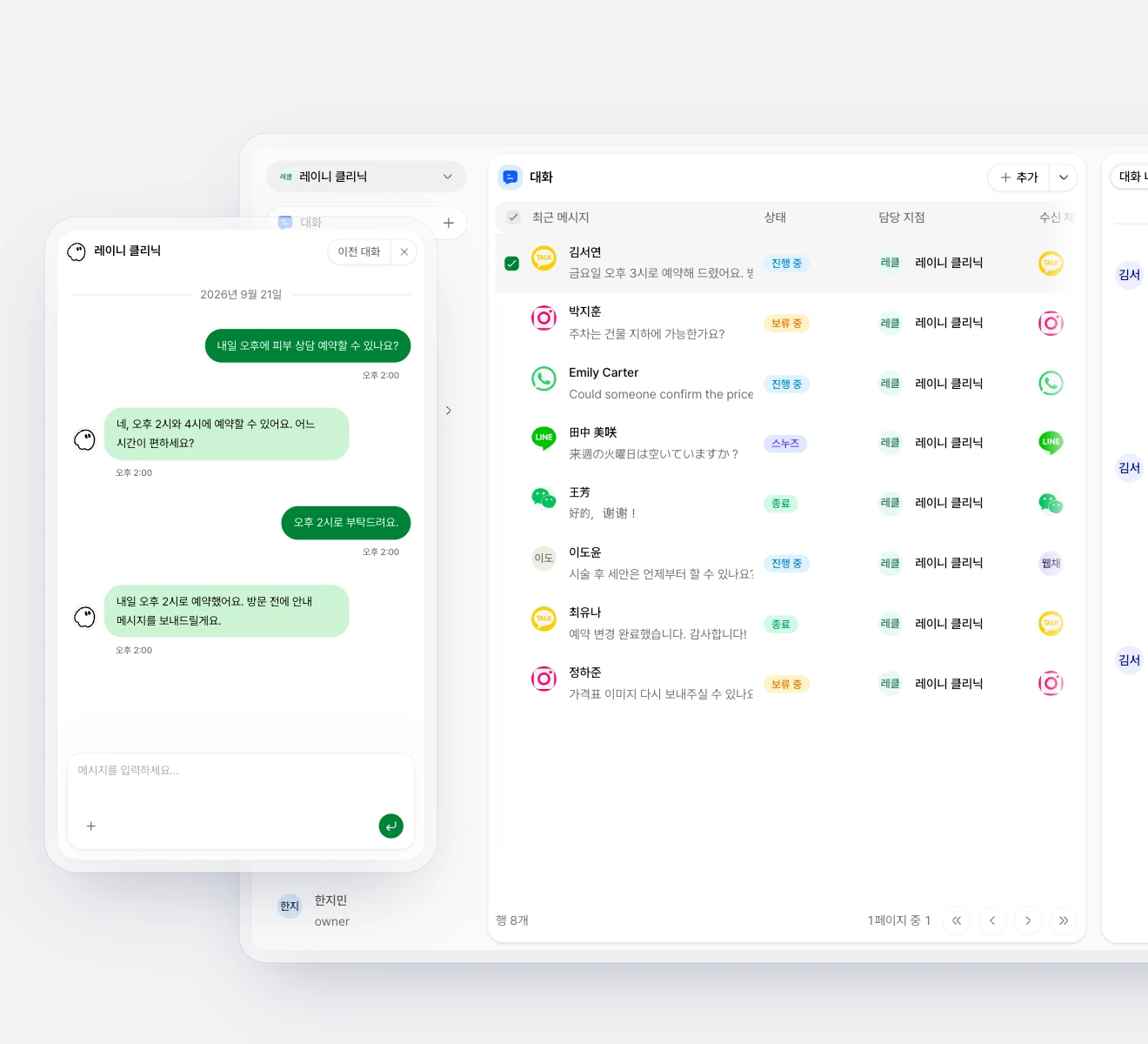
Laney answers inquiries on every channel and hands off to staff when needed.

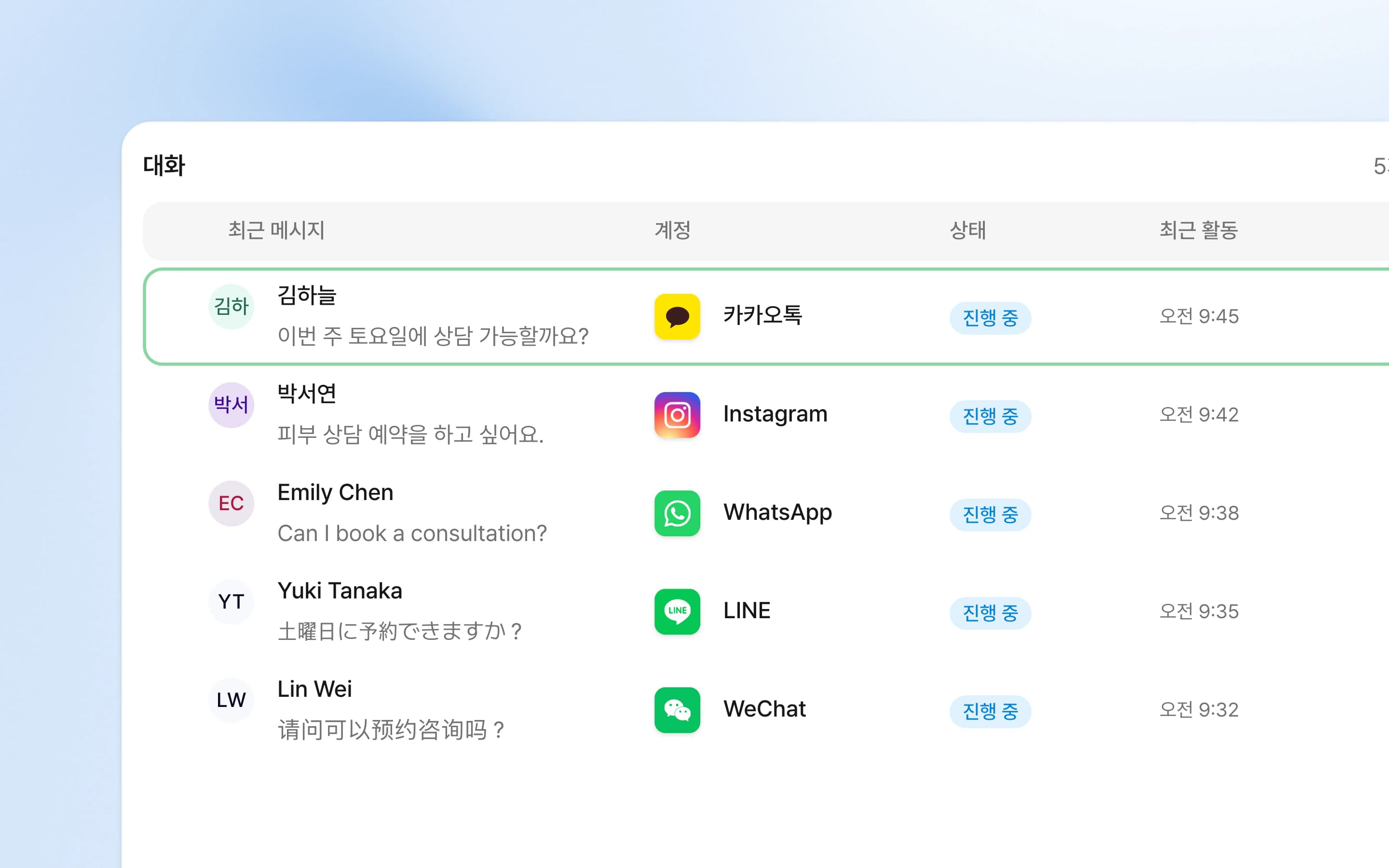
Inquiries from the website chat, KakaoTalk, Instagram, LINE and phone arrive in one place. Laney answers the repeat questions first, and a staff member takes over conversations that need judgment.

  • Every channel in one inbox

    Laney gathers KakaoTalk, Instagram, WhatsApp and LINE inquiries in one inbox and shows where each one stands.

  • Laney answers routine questions first.

    Laney answers common questions with the care and operating guidance your clinic registered, and hands conversations that need staff straight to them.

  • Staff step in when needed

    When a staff member takes over, AI replies pause; when they finish, they can hand the conversation back to Laney.

  • Laney takes phone calls, too

    Laney answers phone inquiries and explains open times and how to book. Each call is kept as a conversation record.

  • Conversations across languages

    Laney replies in the patient’s language and shows staff the original message next to the translation.

  • Patient records in the CRM

    Laney keeps each patient’s details and conversation and booking history in the CRM, so staff pick up with context next time.

Explore
Consultation

Booking

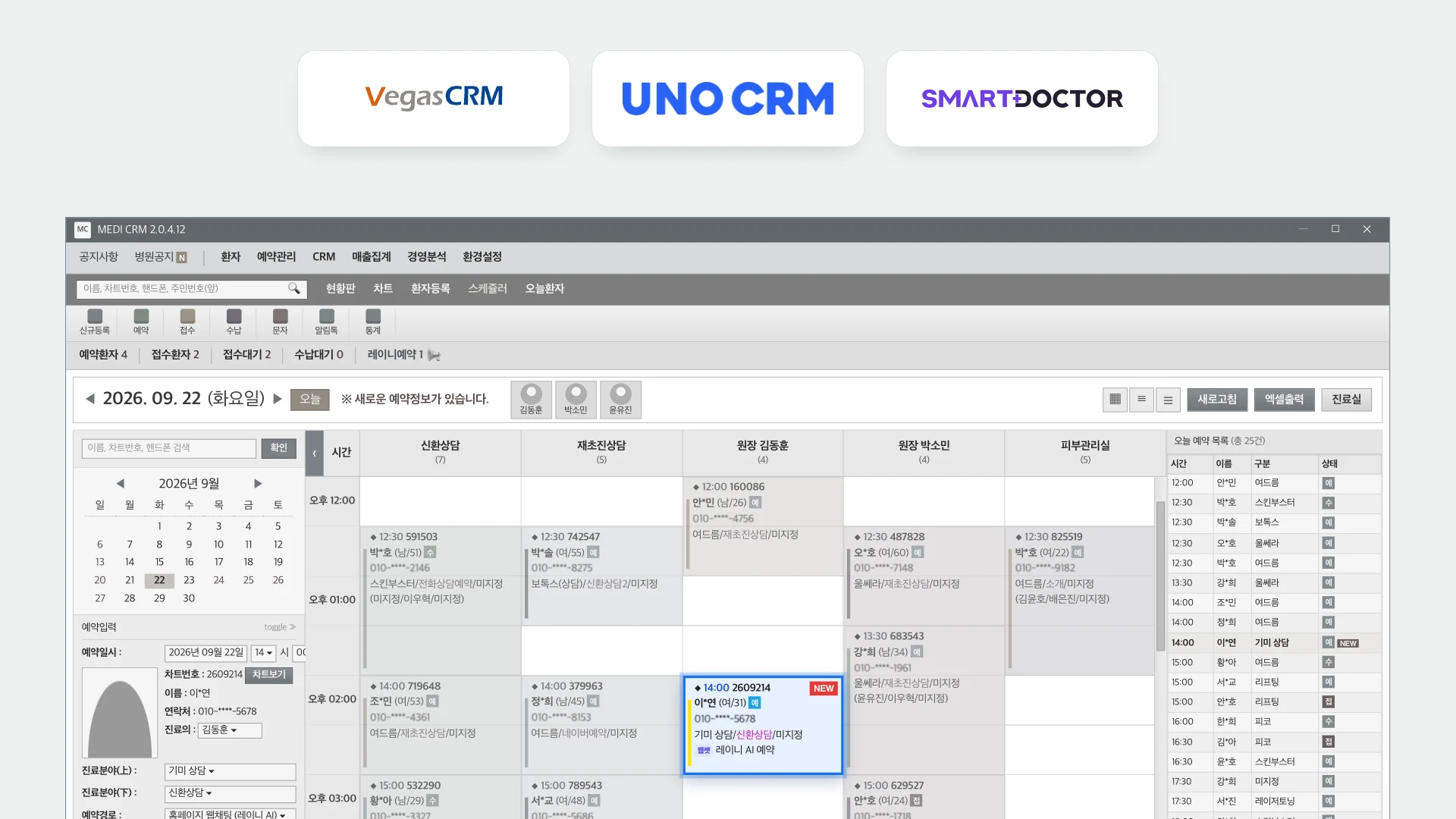
Laney books the appointment straight into your clinic CRM.

Laney enters the booking agreed in the conversation into the CRM your clinic already uses. Staff simply see the new booking on the schedule they know.

  • Laney confirms the booking within the conversation.

    During the conversation Laney confirms a booking that fits opening hours and capacity, and handles change requests too.

  • Only open times are offered

    Laney reflects opening hours, days off and capacity, and offers only times that can actually be booked.

  • Bookings land in your CRM

    Confirmed bookings go straight into clinic CRMs such as SmartDoctor, Vegas and UNO, so staff see them on the board they already use.

Explore
Booking

Workflows

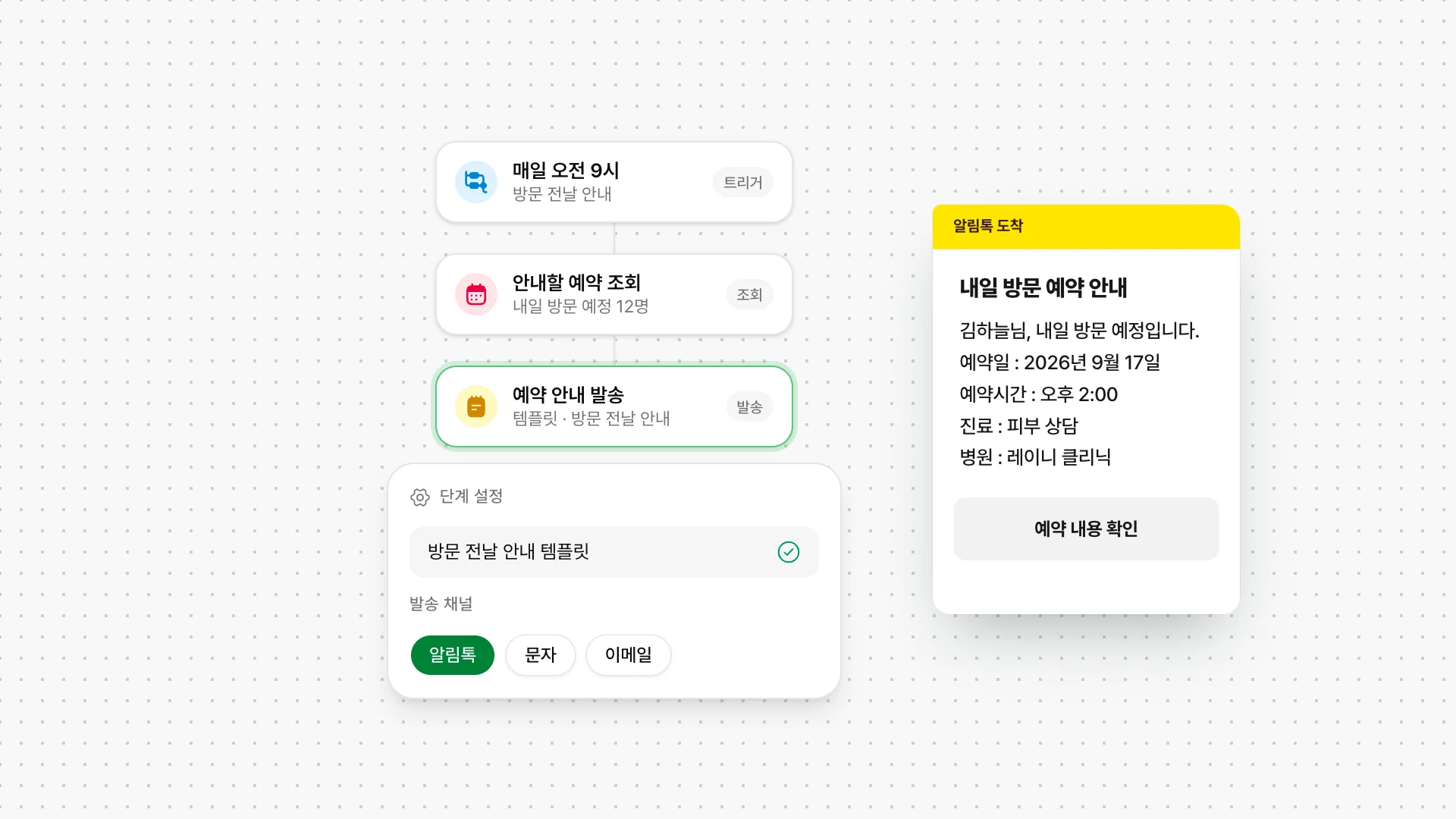
Laney sends pre-visit, aftercare and return-visit messages at the right time.

At the moments and conditions you set, such as a confirmed booking, the day before a visit or after treatment, Laney finds the right customers and sends KakaoTalk messages. Staff can ask for tasks in plain words and check the results.

  • Keep patients informed before and after a visit

    Laney sends a reminder the day before, aftercare guidance after treatment, and invites the customer back when the next visit is due.

  • Routine work that runs on your conditions

    Laney looks up bookings, sends guidance and updates patient records automatically, at the times and for the patients you set.

  • Guidance sent as KakaoTalk templates

    Laney fills the clinic's registered KakaoTalk templates with each customer's booking details and sends them at the set time.

  • Ask for the task you need

    Laney handles the changes and tasks you ask the admin AI for, within your permissions, and shows what it will do and the result.

  • Laney makes the follow-up calls

    On the day you set after a treatment or visit, Laney calls the customer to ask how they are doing. Each call is kept as a conversation record.

Explore
Workflows

A shared view of connected work

Focus on how your team shares context across its daily work.

WorkflowAcross separate toolsLaney
InquiriesFind earlier messages in separate channel windows.See connected conversations and customer records together.
Human handoffCheck separately who should reply.Keep AI and human response states clear.
Booking operationsRecheck offered times against operating capacity.Review hours, closures and capacity with shared rules.

Frequently asked questions

Talk to our team
Can every existing channel be connected?

Availability depends on channel support, your agreement and account readiness. Some providers require approval or business verification.

Can a teammate take over an AI conversation?

Taking over pauses AI responses and lets a teammate reply directly. The conversation can return to AI afterward.

Is a booking request immediately confirmed?

Requests and confirmations are separate states. Your team reviews requests and manages confirmation according to its operating process.

Your next customer conversation. Connected with Laney.

Tell us about your channels and how your team works. We'll explore the scope you need.

Contact sales